Boonbuy Spreadsheet, without the guesswork.

Find products on W2CSpreadsheet. Boonbuy buys, checks and ships them to you.

Start here

What “Boonbuy Spreadsheet” actually means

A Boonbuy Spreadsheet helps you find and compare products before ordering. Search W2CSpreadsheet by name or category, compare the original seller links and available QC photos, then send your chosen link to Boonbuy.

Boonbuy handles purchasing, warehouse inspection and international shipping. Review your own QC photos before you consolidate, confirm the separate shipping charge, then track the parcel after dispatch. Boonbuy also lists its Freight Estimator and SourceTrack under Shipping Information.

Read the Boonbuy Spreadsheet basics Check shipping and fees

Discover on W2CSpreadsheet

Why choose Boonbuy Spreadsheet?

Open the spreadsheet
  • Official Boonbuy partner

    Find products here, then order and ship through Boonbuy.

  • 30,000+ products

    Browse a growing catalog with new finds added regularly.

  • Recent QC & wholesale prices

    Review available QC photos and compare seller prices before ordering.

  • Community reviews & hauls

    Explore buyer feedback on Reddit, YouTube, TikTok, Discord and Telegram.

  • AI virtual try-on

    Preview eligible clothing on W2CSpreadsheet before you buy.

  • Member discounts & perks

    Check your Boonbuy account for available offers and eligibility.

Why BoonbuyService highlights, three buying steps and the video guide

Highlights

  • 90 days of free storage
  • 3 free QC photos per item
  • Pay for items first, international shipping later
  • Combine items into one parcel

How To Buy

01 Place Order

Search by product name or paste a link, then pay.

First payment · Product cost

Video tutorial

Signature module

The Certainty Ledger, end to end

See what you can check at each stage, from a product link to parcel delivery. New here? Read the Boonbuy Spreadsheet basics.

You can be sure ofConfirm before you commit
Discovery: the listing, photos and link are real and viewable
Stock, size and colour for that exact seller — confirm at quote
Ordering: use the original seller link or Fill & Buy for a Xianyu listing
Review stock, item price, shipping and any applicable fees in the quote
QC: Boonbuy inspects and uploads photos before shipping
Details photos miss (smell, tiny flaws) — request extra angles
Shipping: you see the weight and pick a route before paying freight
Route price, taxes and delivery time — estimate with the Freight Estimator
After-sales: refund, returns and prohibited-item rules are published
Whether your item/route qualifies — read the policy first

Before you order

Try on, check QC, then compare

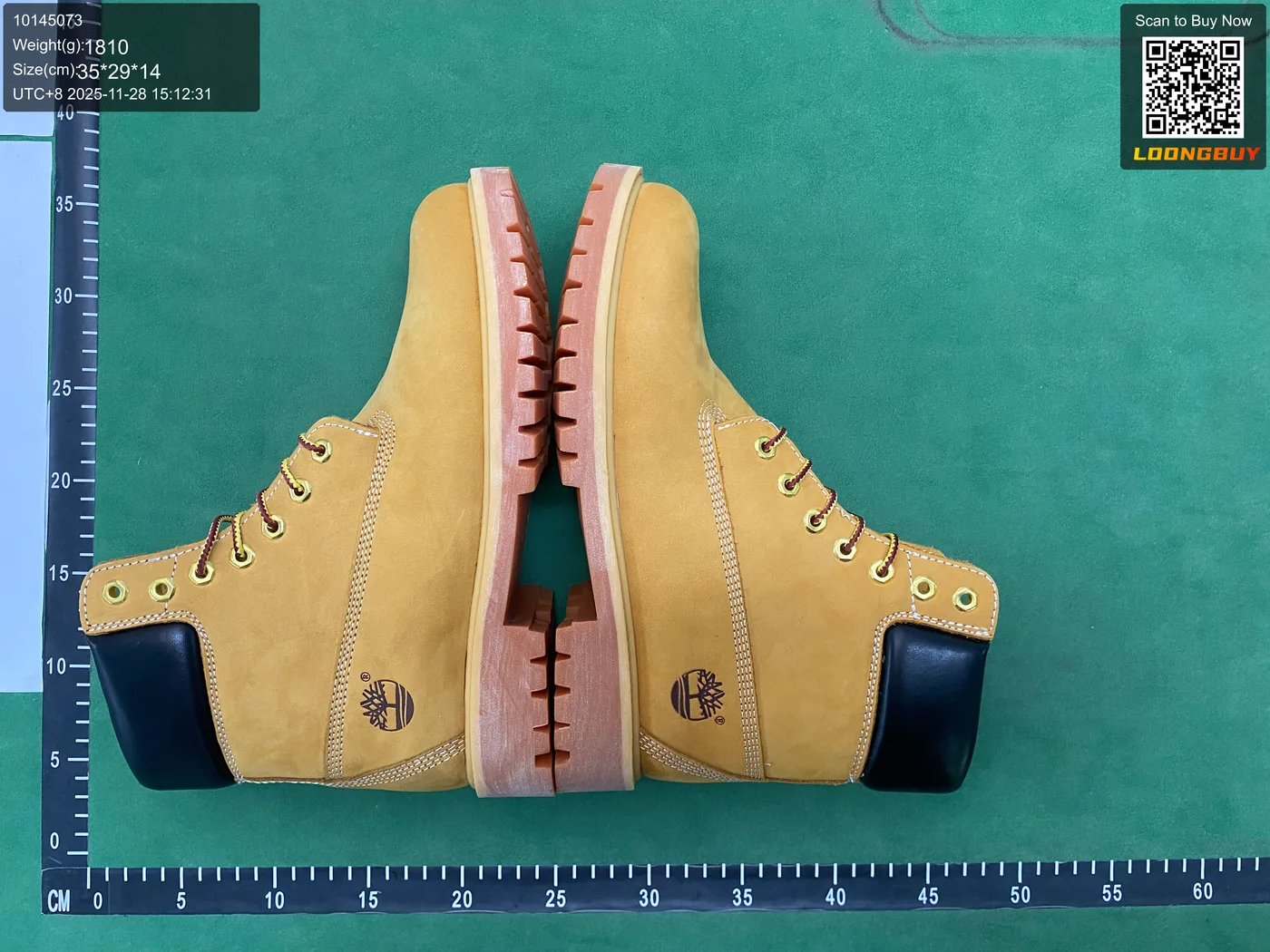
Follow one Timberland 6-inch boot listing. The AI look helps you assess styling, and the warehouse photos show an earlier tan pair from the same listing.

Tan boots with straight-leg jeans
AI outfit previewThe preview shows how the boot shaft sits under the jeans. Use it to judge styling and proportions.
Side view of the tan boots from the same listing
Real warehouse QCCompare the colour, stitching and sole joins on both boots in this past warehouse photo.
Open the example listing
  1. 01

    Try the look first

    Check how the boot height and jeans work together. Use measurements to choose size.

    Open AI Try-On
  2. 02

    Check real QC

    Open photos for the same seller link and colour. Compare the upper, sole joins and size label.

    View listing QC
  3. 03

    Compare price and offers

    Use the same colour, size and quantity. Compare the item quote, domestic delivery and estimated freight. Check coupon eligibility before paying.

    Estimate shipping

Three checks before checkout

  • Match the listing. Confirm seller, colour and size before relying on QC.
  • Measure for fit. Compare your measurements with the seller’s chart.
  • Check the final amount. Apply eligible coupons and account for freight.
Quick answers

Beginner questions

Read the full FAQ

Calm updates

Latest guide notes

Platform

Boonbuy now buys from five platforms — what Tmall and JD add

A single Boonbuy account reaches Taobao, 1688, Weidian, Tmall and JD.

What this means for beginners: almost any Chinese listing you find can be bought through one agent — you rarely need a second account.

Guide

A calmer way to pick between two links for the same item

Our four-check method for choosing between near-identical listings.

What this means for beginners: a short checklist replaces guesswork when you’re staring at ten near-identical links.

All calm updates

Ready to turn a find into a parcel?

Start by discovering an item, then let Boonbuy handle the buying, checking and shipping.