From order to delivery
Nine order stages
Follow the status in your Boonbuy account. Processing estimates are a guide, and seller dispatch and carrier updates vary.
- Order SubmittedPlace the order and complete item payment.
- Order PlacedThe Boonbuy buyer places the order with the seller.
- Seller ShippedThe seller sends your items to Boonbuy’s warehouse.
- Arrived at WarehouseOrders shows Received at the warehouse delivery point.
- Inspection & StorageReview stored items and inspection information in Warehouse.
- Shipping RequestedSelect stored items and submit an international parcel.
- Parcel PackedThe warehouse packs your parcel and prepares it for dispatch.
- ShippedFollow carrier updates in Parcels.
- Delivered & ConfirmedConfirm receipt after your parcel arrives.
How to order on Boonbuy
01Select items
Copy a product link from Taobao, 1688 or Weidian, or search by name on Boonbuy to compare matching and similar listings.
You can also start with a deal shared on Discord, Reddit or by a Boonbuy partner creator. Boonbuy’s guide says it cannot purchase from cross-border shopping platforms.


02Create an order
Taobao, Weidian and 1688. Paste the original seller URL into the Boonbuy search bar.
Yupoo, Goofish (Xianyu) and other sources without direct search. Open Fill & Buy and enter the listing and item details. If you don’t know the price, Boonbuy’s guide allows a 1 CNY placeholder. Check the actual quote before paying.


03Submit and pay
Choose your options
Select the colour, size and quantity. Expand Message for any requests to the agent, then choose Buy Now.
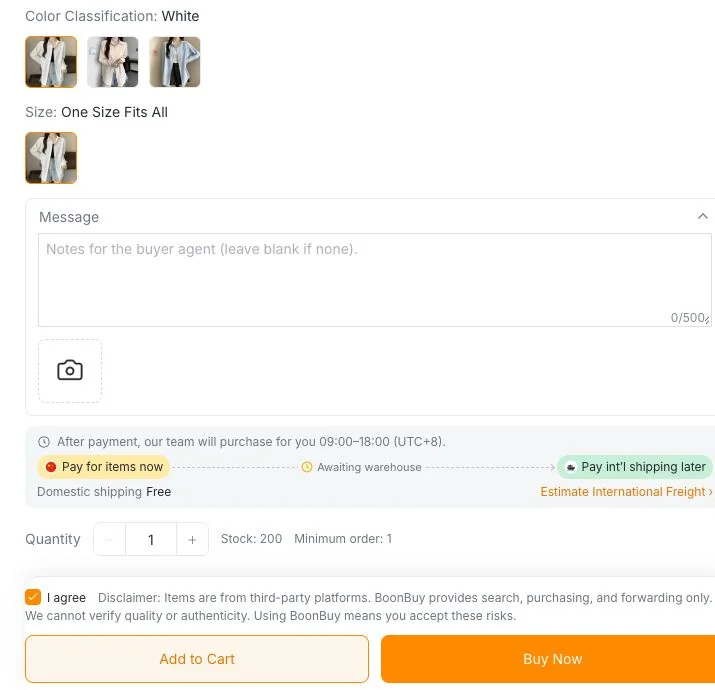
Product options and the Message field above Buy Now. Confirm the order
Select the destination country and review the item and costs. Tick I agree and choose Submit Order. Enter the full delivery address later when creating your parcel in Warehouse. Contact Boonbuy support if your destination is missing.
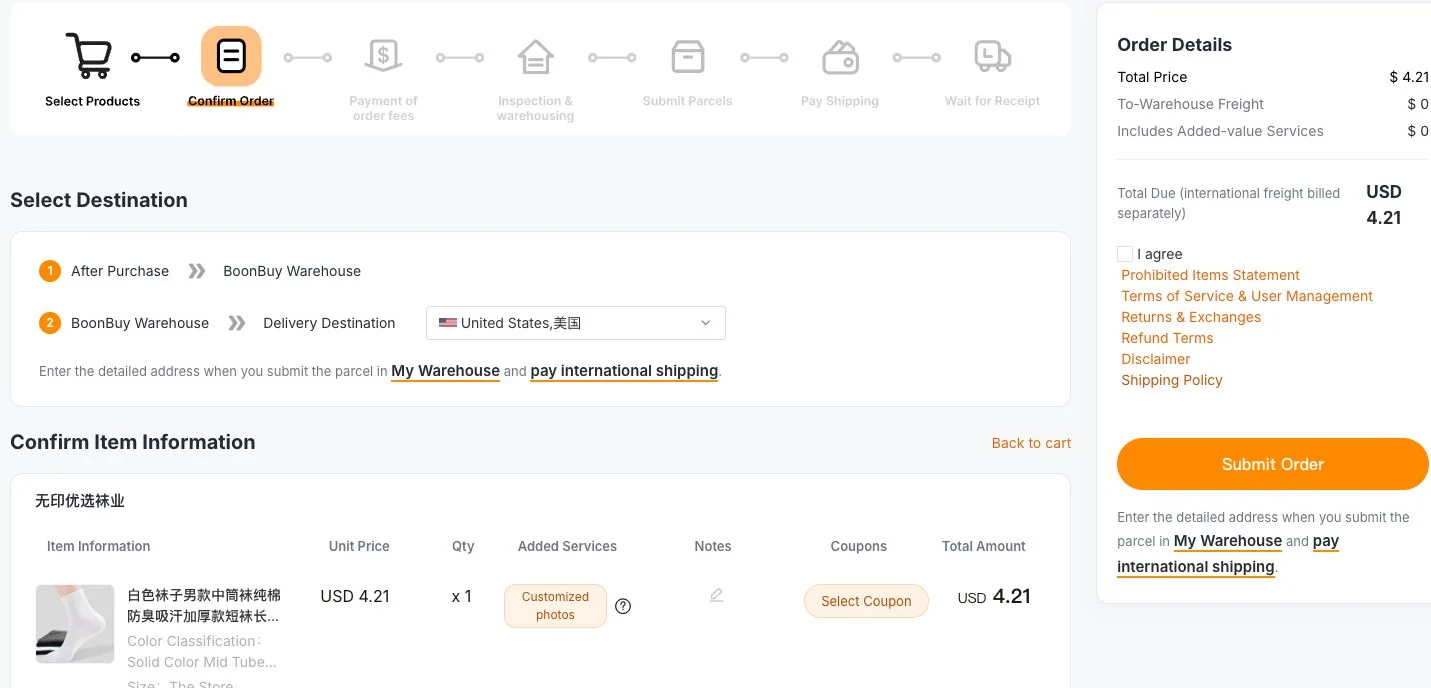
Country selection, order review and the Submit Order button. Complete payment
Choose a payment method at checkout. If your balance or BOON coins are insufficient, choose online payment. After payment, the order enters the purchasing queue.
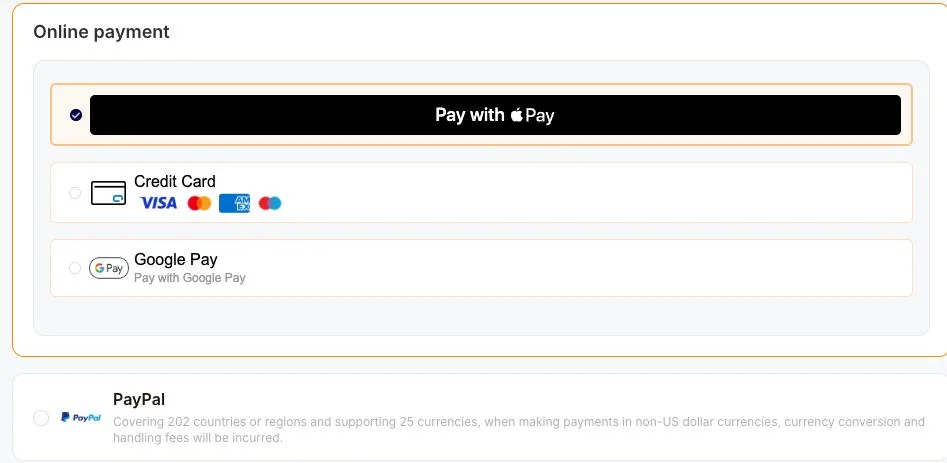
Example online payment options, including Apple Pay, card, Google Pay and PayPal.
04Follow the order
Boonbuy’s detailed guide cites six working hours for purchase processing after payment. The overview gives up to 24 hours for placement. Check Orders for the current status.
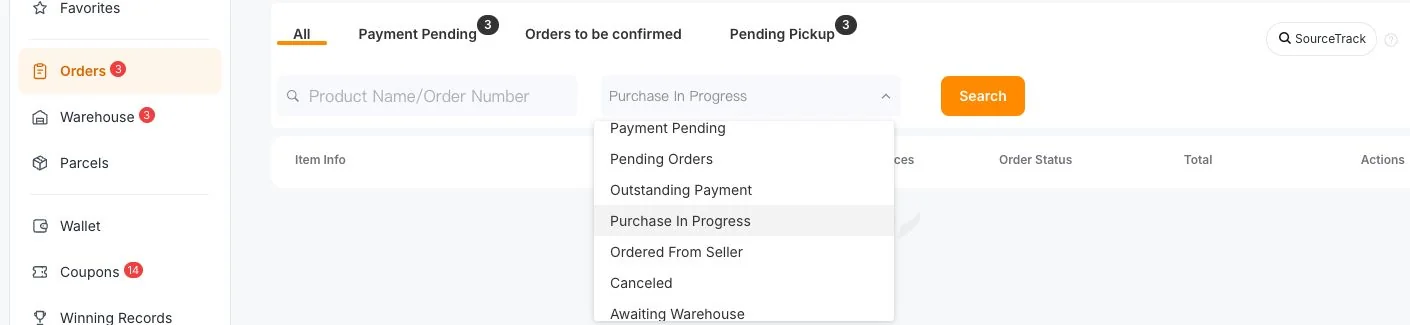
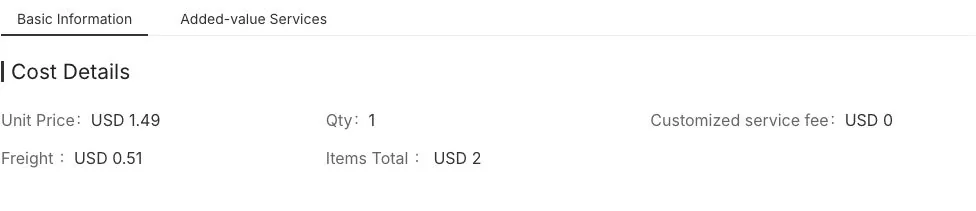
Filter your orders by status and open Order Details to review the item, costs and notes. Once the seller dispatches it, use Track on the order while it is awaiting warehouse arrival, or contact your buyer agent.
There is also a way to check progress before an item shows in your warehouse list. Boonbuy's order source tracking tool takes the Boonbuy order number (it starts with F), the Taobao, 1688 or Weidian order number, or the China courier tracking number. It then shows purchasing, warehouse arrival, QC and shelving progress for that item.


Inside the Boonbuy warehouse
01Warehouse arrival
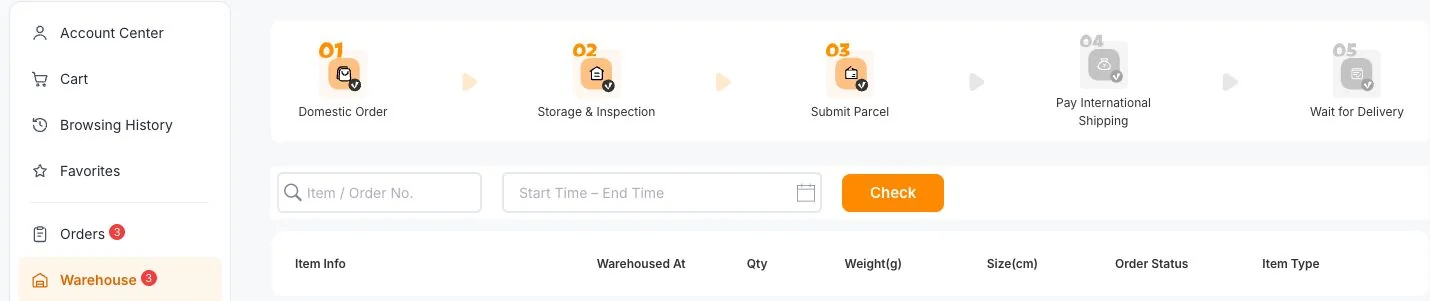
Received on Orders means your item has reached the warehouse delivery point. Boonbuy’s guide allows about 48 hours for transfer and scanning. Until storage, follow the order on Orders.

02Inspection and storage
After scanning, Boonbuy’s guide gives about 24 hours for inspection and shelving. Open Warehouse to see stored items, available QC photos and inspection details. Review condition and weight before you create a parcel.
Submit, track and receive a parcel
01Create and pay for a parcel
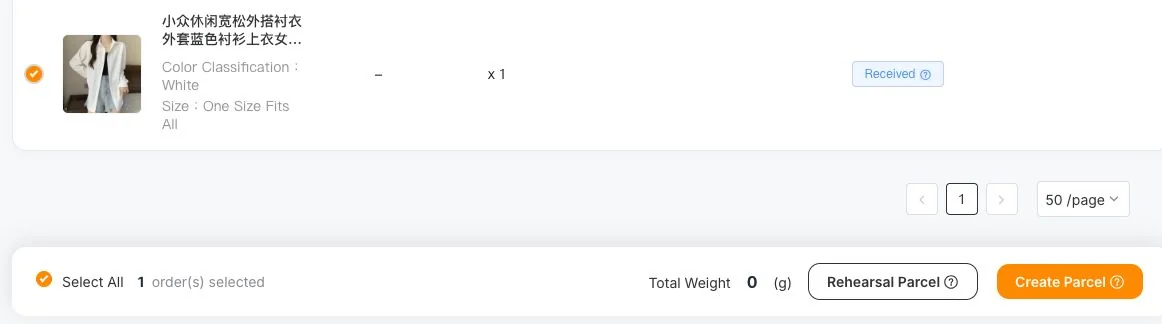
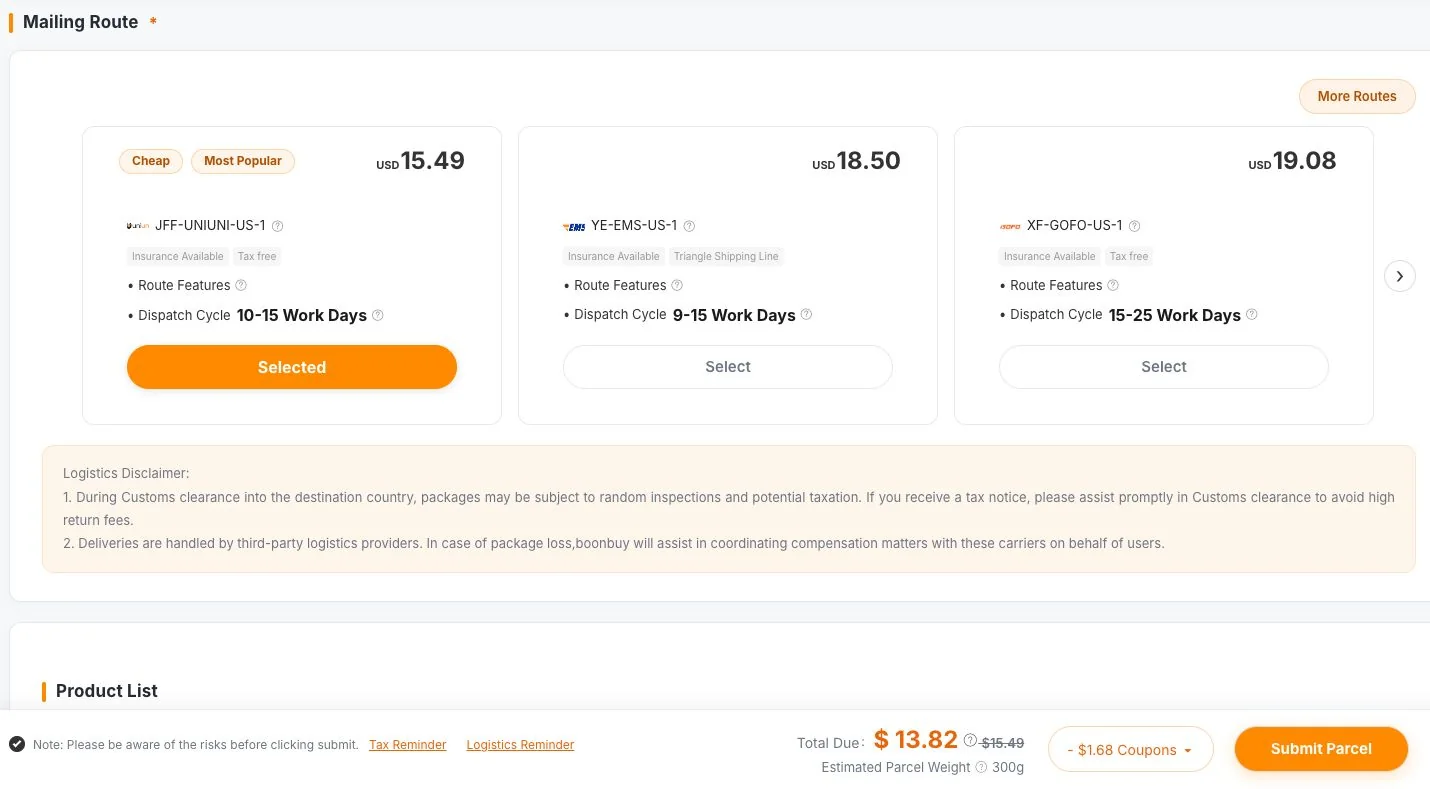
In Warehouse, select the items to consolidate and choose Create Parcel. Enter your delivery address, select packing and choose an international shipping line. Apply any eligible coupon before paying.
The estimate depends on the parcel, route and destination. Check the Boonbuy freight estimator before you submit.
02Track packing and dispatch
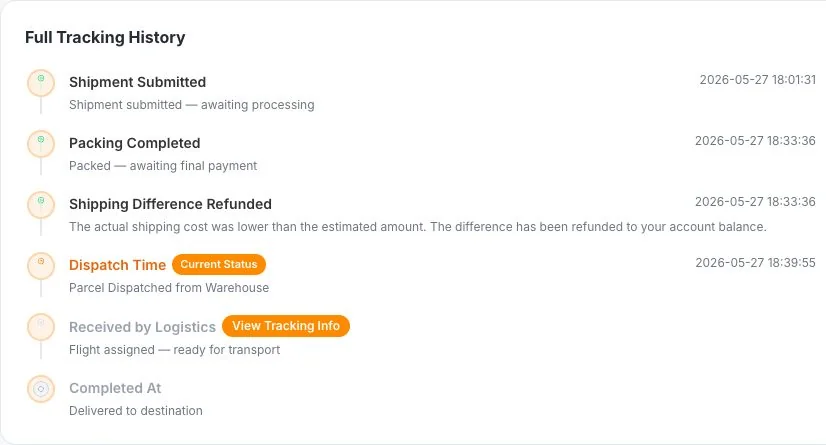
Boonbuy’s guide allows about 24 hours for packing after parcel submission. Open Parcels for packing, dispatch and carrier updates.
Final freight is based on the carrier’s measured weight and dimensions. After shipping, Boonbuy refunds any overpayment to your balance or shows the additional charge on the parcel page.
Tracking details can take up to 48 hours to appear after dispatch, so an empty tracking page on day one is normal. Hold off on a ticket during that window. How long the trip takes from there depends on the destination, and the published ranges per region are on the fees page.
03Confirm receipt
Once the parcel arrives, open Parcels and choose Confirm Receipt. Boonbuy’s guide says an accidental early confirmation does not stop delivery. You can continue to follow the tracking updates.
If a parcel arrives damaged, or never arrives, contact Boonbuy support within 7 days of delivery or of the estimated delivery date. Parcels still in transit, delayed or held in customs cannot be refunded, so a quiet tracking page mid-route means waiting, not a refund case.

Based on the official Boonbuy guide. Select any screenshot to open it at full size.